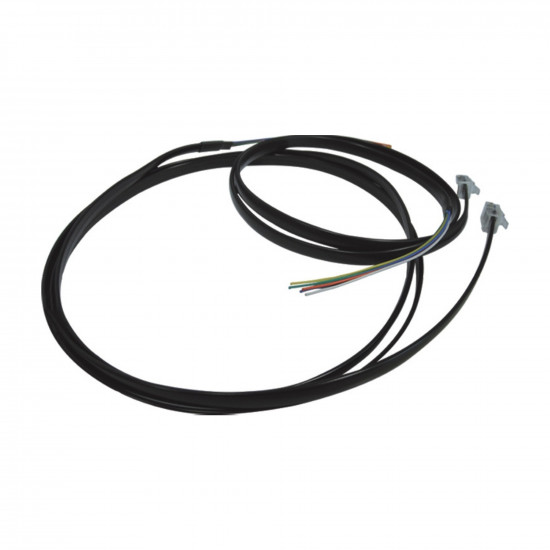
-550x550h.jpg "Danfoss 080G0076 ACCCBI RJ11 Telephone-Type Connection Cable – 3 m | For MMIGRS2 Display / MCX Controller")

-80x80h.jpg "Danfoss 080G0076 ACCCBI RJ11 Telephone-Type Connection Cable – 3 m | For MMIGRS2 Display / MCX Controller")
Danfoss 080G0076 ACCCBI RJ11 Telephone-Type Connection Cable – 3 m | For MMIGRS2 Display / MCX Controller
- Stock: In Stock
- Brand: Danfoss
- Model: 18.35.842
$10.93 (VAT incl.)
Ex Tax: $9.11

Your shopping cart is empty!
Danfoss 080G0076 (ACCCBI) is a 3-meter telephone-type connection cable made to connect the Danfoss MMIGRS2 graphic remote display to MCX series controllers. Both ends have a 6/6-pole RJ11 telephone plug; it plugs directly into the CAN-RJ socket of the display and controller. In the field it is also searched for as an RJ12 cable.
When the MMIGRS2 is connected with this cable, both CANbus communication and display power come from the MCX controller; over short distances there is no need to run a separate power line. Since there is no terminal tightening or pin insertion, mounting the display on the panel door takes only minutes.
Direct connection with a telephone-type cable has another advantage: the MMIGRS2 automatically detects the MCX controller it is connected to. When the display is connected via the screw-type CAN terminal, this automatic detection does not work; the controller's CAN address is selected manually from the display menu.
| Length | Danfoss code |
|---|---|
| 1.5 m | 080G0075 |
| 3 m ← | 080G0076 (this product) |
Loading...
Unlimited Blocks, Tabs or Accordions with any HTML content can be assigned to any individual product or to certain groups of products, like entire categories, brands, products with specific options, attributes, price range, etc. You can indicate any criteria via the advanced product assignment mechanism and only those products matching your criteria will display the modules.
Also, any module can be selectively activated per device (desktop/tablet/phone), customer login status and other criteria. Imagine the possibilities.