-550x550.jpg "XH-W3001 Digital Thermostat Temperature Controller 220V 1500W")
-550x550.jpg "XH-W3001 Digital Thermostat Temperature Controller 220V 1500W")

-80x80.jpg "XH-W3001 Digital Thermostat Temperature Controller 220V 1500W")
-80x80.jpg "XH-W3001 Digital Thermostat Temperature Controller 220V 1500W")
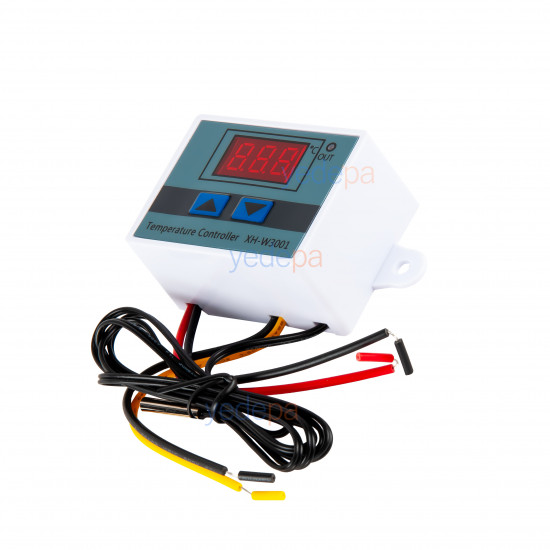
XH-W3001 Digital Thermostat Temperature Controller 220V 1500W
- Stock: In Stock
- Brand: OEM
- Model: 01 70 67
$4.37 (VAT incl.)
Ex Tax: $3.64

Your shopping cart is empty!
Designed to reliably manage ambient temperature in incubators, aquariums, greenhouses, industrial coolers and all systems requiring climate control, the XH-W3001 Digital Thermostat stands out for its practical use and high precision. Working on the principle of 220V AC input and direct 220V output, this module can directly drive loads up to 1500 Watts (10 Amps) (heating element, cooling fan, compressor, etc.) without needing an external power supply or an extra relay.
The device can be programmed to work fully automatically in both heating and cooling modes. You can monitor the ambient temperature in real time on the easy-to-read LED display and easily set the temperatures at which the system will switch on (start) and switch off (stop) using the arrow buttons on the front panel. The waterproof NTC probe with stainless steel tip supplied with the product responds quickly and consistently in liquid and air measurements.
Housed in a durable ABS plastic case and designed with ready-to-mount lugs, this model’s technical details are as follows:
Technician’s Note: This device works on the "Direct Output" principle (it is not a dry contact). When you feed 220V mains power into the device through the Red and Black wires (INPUT), as soon as the set temperature is reached and the relay pulls in, you get a direct 220V output from the Yellow and Black wires (OUTPUT). Therefore, never let the output leads touch each other (this will cause a short circuit).
Setting Logic: Hold down the "Up" arrow button to set the temperature at which the device starts, and hold down the "Down" arrow button to set the temperature at which it stops. If the start temperature is lower than the stop temperature, the device works in Heating mode; if the start temperature is higher than the stop temperature, it works in Cooling mode.
Loading...
Unlimited Blocks, Tabs or Accordions with any HTML content can be assigned to any individual product or to certain groups of products, like entire categories, brands, products with specific options, attributes, price range, etc. You can indicate any criteria via the advanced product assignment mechanism and only those products matching your criteria will display the modules.
Also, any module can be selectively activated per device (desktop/tablet/phone), customer login status and other criteria. Imagine the possibilities.