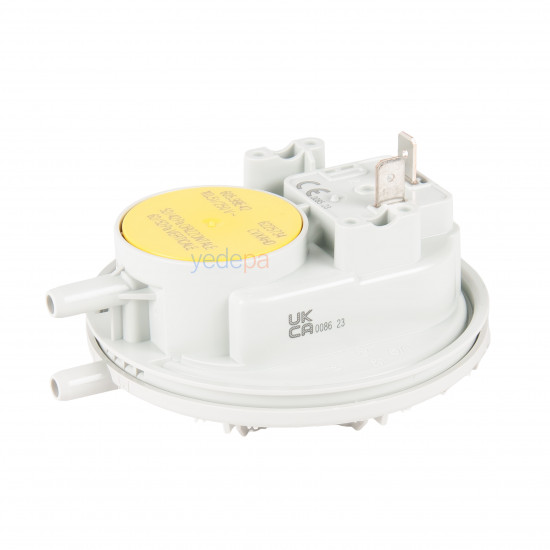
-550x550.jpg "Huba Control 605.99E42 Combi Boiler Air Pressure Switch (Horizontal 52/42 Pa - Vertical 62/52 Pa)")
-550x550.jpg "Huba Control 605.99E42 Combi Boiler Air Pressure Switch (Horizontal 52/42 Pa - Vertical 62/52 Pa)")

-80x80.jpg "Huba Control 605.99E42 Combi Boiler Air Pressure Switch (Horizontal 52/42 Pa - Vertical 62/52 Pa)")
-80x80.jpg "Huba Control 605.99E42 Combi Boiler Air Pressure Switch (Horizontal 52/42 Pa - Vertical 62/52 Pa)")
Huba Control 605.99E42 Combi Boiler Air Pressure Switch (Horizontal 52/42 Pa - Vertical 62/52 Pa)
- Stock: In Stock
- Brand: Huba Control AG
- Model: 77890036048
$8.98 (VAT incl.)
Ex Tax: $7.49

Your shopping cart is empty!
This is one of the most critical safety components of the system (air flow switch), monitoring whether flue gas is properly expelled by the fan in room-sealed combi boilers. Manufactured to the quality of Huba Control, one of the industry's leading manufacturers, this original spare part reliably solves the common field faults "the fan runs but the combi boiler does not go to ignition" or "no spark".
Loading...
Unlimited Blocks, Tabs or Accordions with any HTML content can be assigned to any individual product or to certain groups of products, like entire categories, brands, products with specific options, attributes, price range, etc. You can indicate any criteria via the advanced product assignment mechanism and only those products matching your criteria will display the modules.
Also, any module can be selectively activated per device (desktop/tablet/phone), customer login status and other criteria. Imagine the possibilities.